Name Redemption Campaign – Request for Reserved Name NFT Burn

Due to [the conclusion of the Name Redemption Campaign], holders of the Reserved Name NFT (AVA C-Chain) may request its burn and receive a new Nickname NFT (Henesys Chain) with the same name.
The existing Reserved Name NFT is no longer usable in MapleStory N.
Please request the burn in accordance with the guidelines and receive the new Nickname NFT.
■ Schedule
February 26, 2026, After Maintenance ~ To be Announced
■ Eligibility
Maplers who hold the Reserved Name NFT (AVA C-Chain) generated through the Name Redemption Campaign
■ How to Use
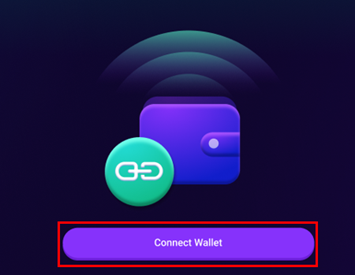
1. After accessing [the Reserved Name NFT burn page] and connecting the wallet via the “Connect Wallet” button, the list of NFTs eligible for burn requests can be viewed.
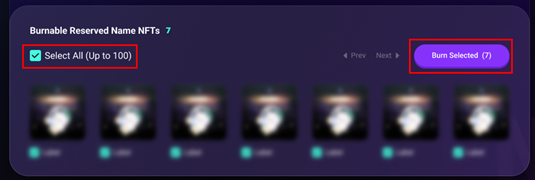
2. If a burn‑eligible Reserved Name NFT (AVA C-Chain) is available, the burn can be requested by selecting the target NFT and clicking the “Burn Selected” button.
- If the number of NFTs eligible for burn exceeds 100, the “Next” button can be used to navigate to the next page.
- By clicking the “Select All” button, up to 100 NFTs can be selected at once to request a bulk burn.
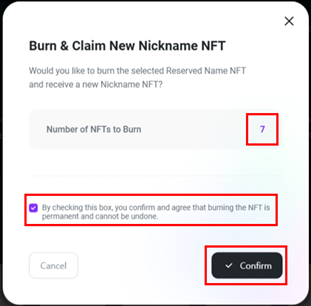
3. After reviewing the burn request confirmation window and verifying the number of NFTs selected for burn, click the “Confirm” button.
- Once the burn request is submitted, it cannot be canceled or withdrawn.
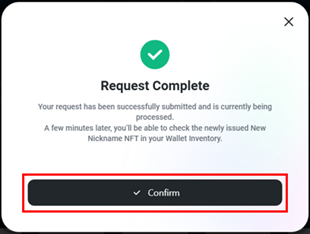
4. Once the burn request is completed, a “Request Complete” confirmation window will appear, and the corresponding NFT will be removed from the list.
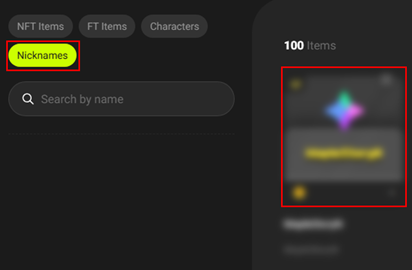
5. After a certain period of time following the burn request, the newly minted Nickname NFT (Henesys Chain) with the same name can be found under [MSU Marketplace] → [Inventory] → [Owned] → [Nicknames].
⚠️ Important Notice
※ Duplicate burn requests submitted for the same NFT may prevent the burn process from completing successfully. If the process does not progress as expected, refreshing the browser and retrying is recommended.
※ Once the burn process is successfully completed, the Reserved Name NFT will be removed from the list. The newly issued Nickname NFT can be found under [MSU Marketplace] → [Inventory] → [Owned] → [Nicknames].
※ If the burn request continues to fail or the new Nickname NFT is not issued after the request has been submitted, please contact [Official Support] for further assistance.
※ If a Nickname NFT that cannot be burned is being held, please visit [Official Support] for further assistance.